
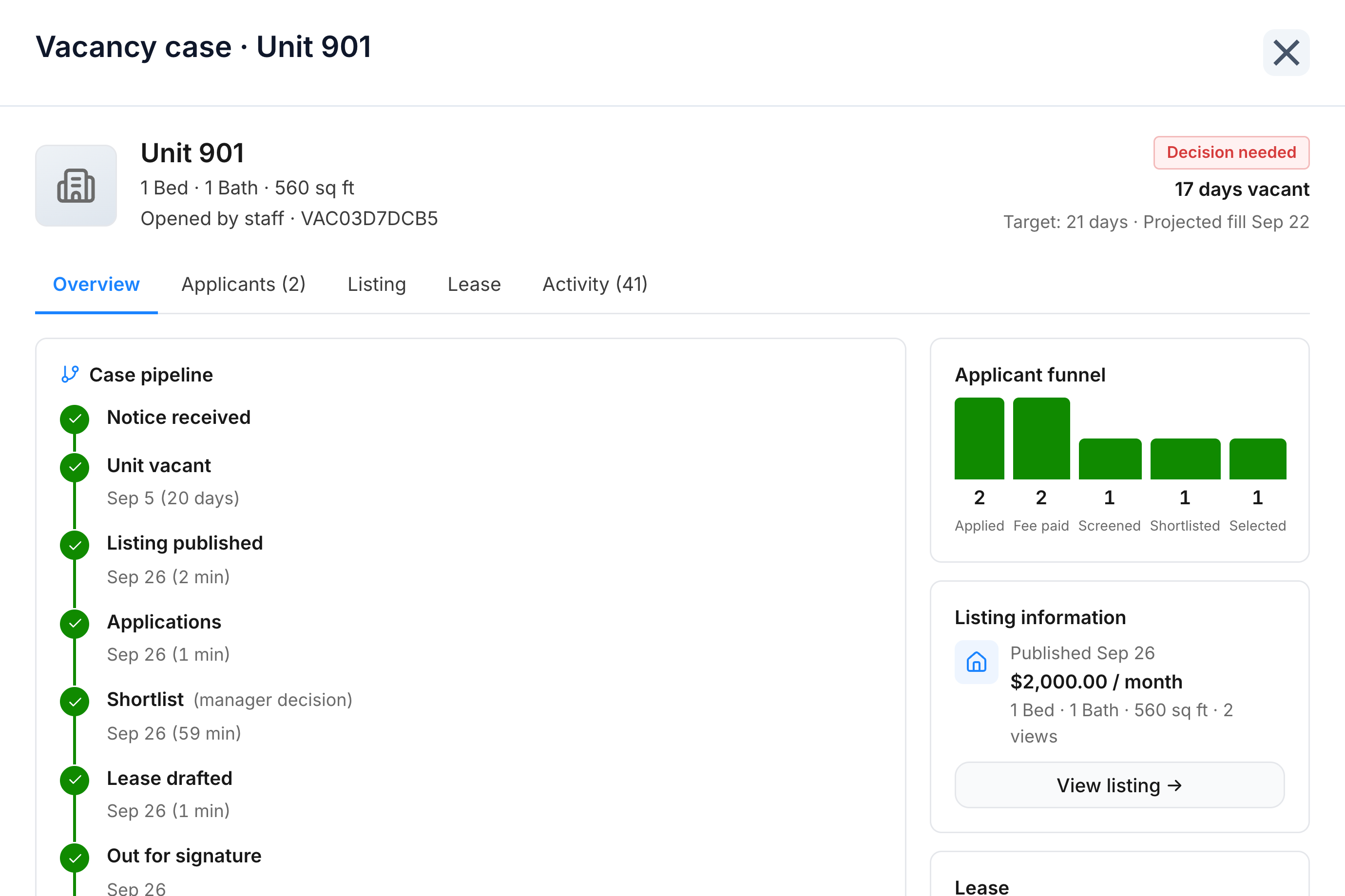
You open the vacancy
You open the case for unit 901. Bleo drafts the listing, and you publish it at $2,000 a month.
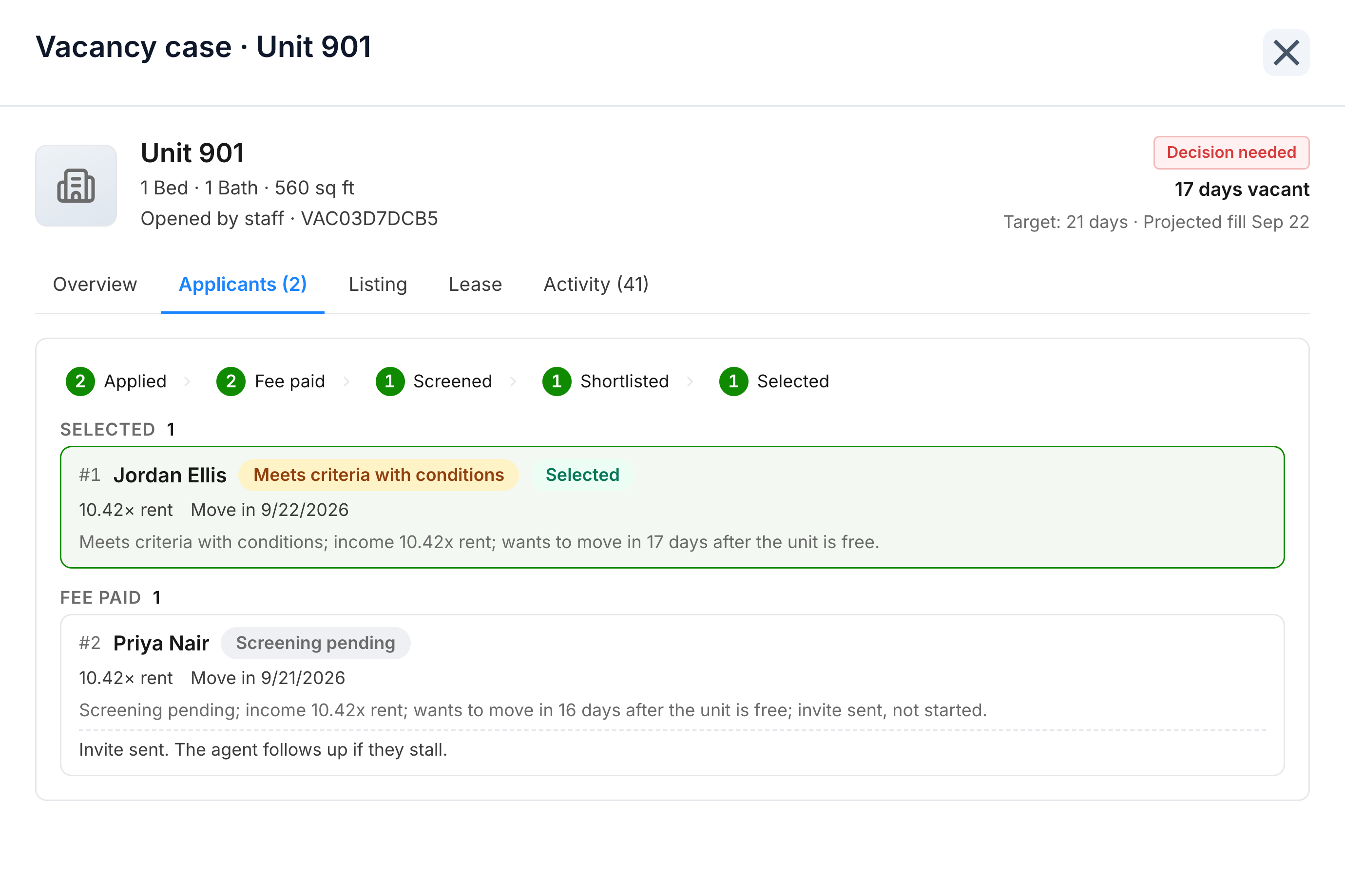
You choose from the shortlist
Two people apply. One is screened and meets the criteria with conditions, and you select them.
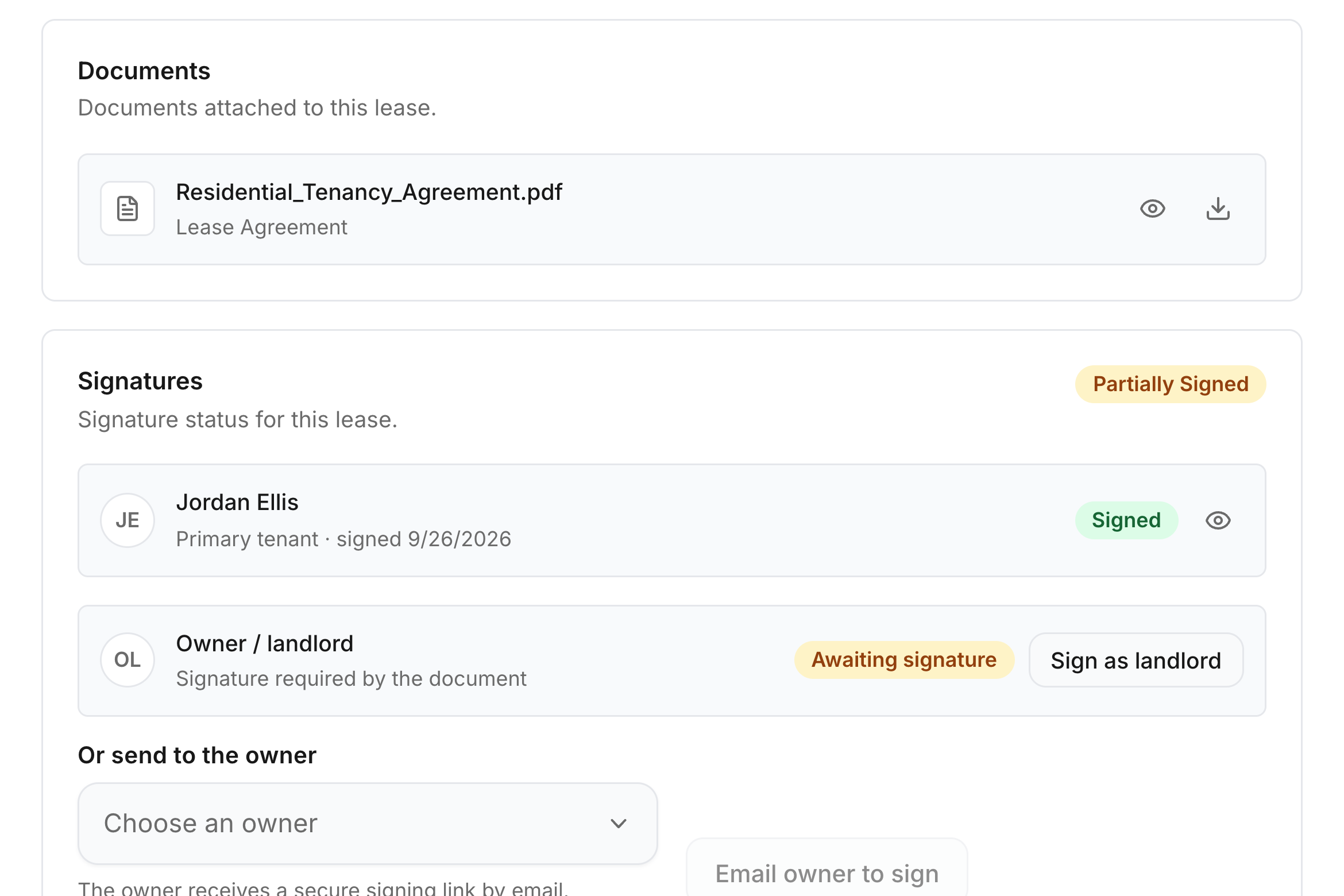
Bleo sends the lease
It goes out for signature. The tenant has signed. The owner's signature is still open.
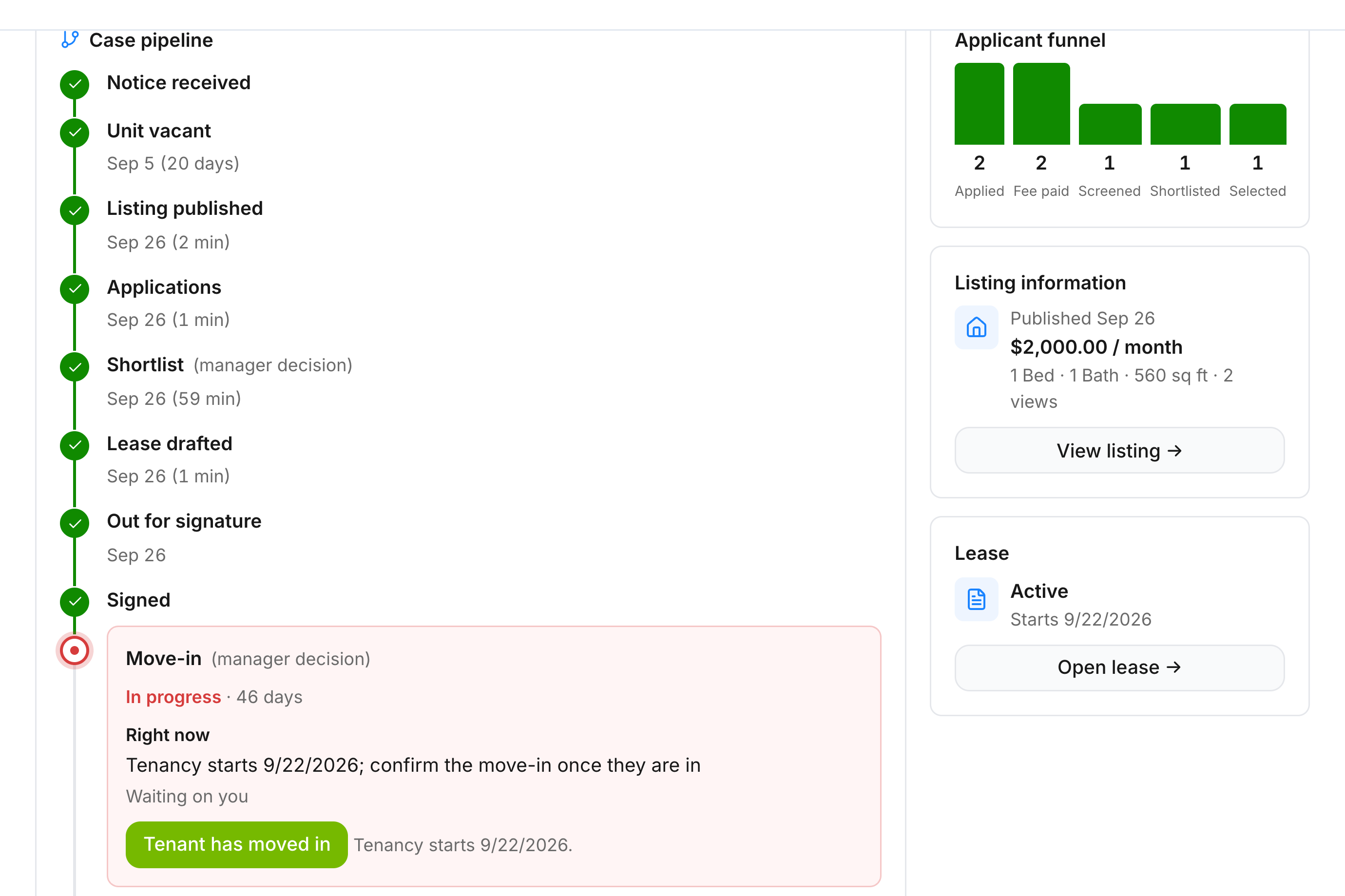
You confirm the move-in
The tenancy has started. The case stays here until you confirm they are in.
Bleo runs the vacancy. You make the decisions.
From notice to move-in, each vacancy has one timeline showing what is done and what is waiting on you.
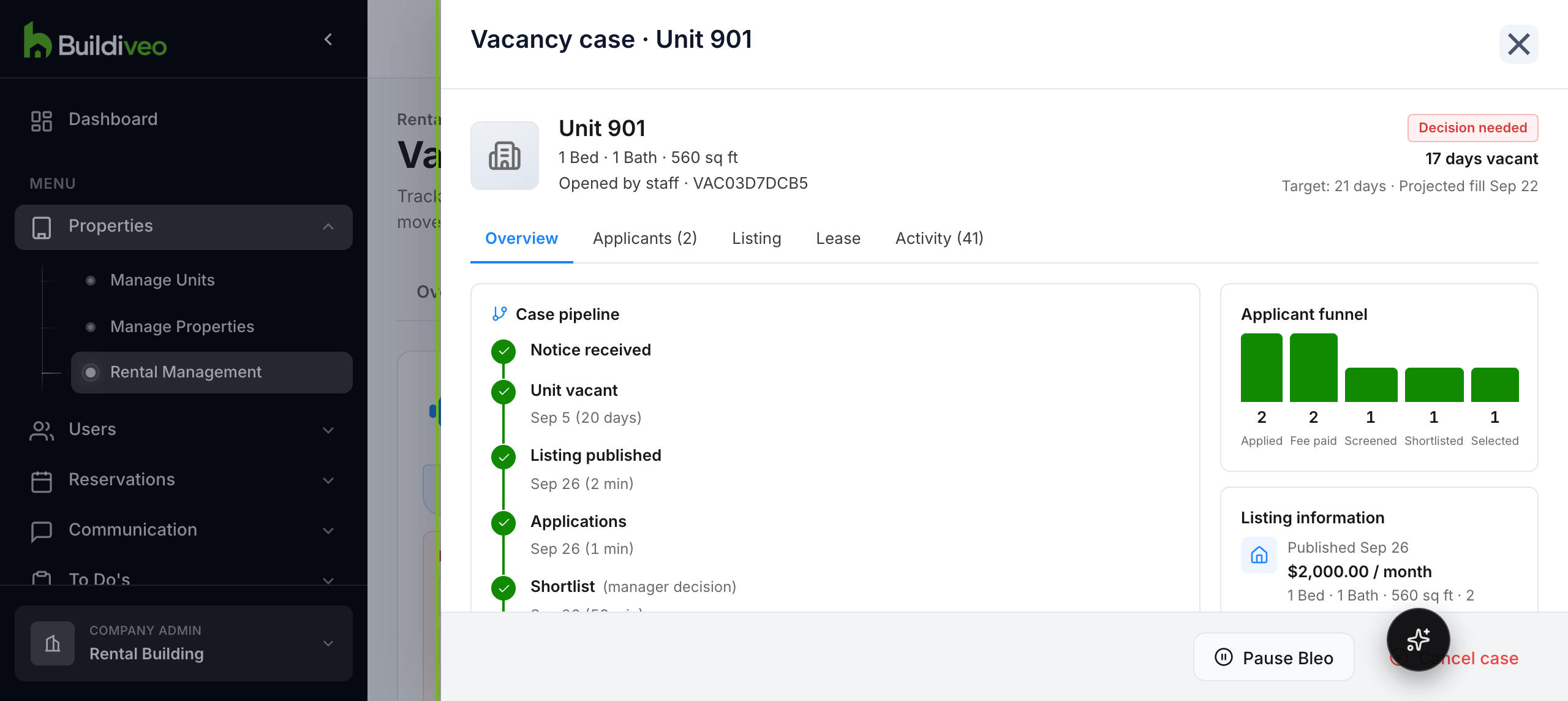
One vacancy, start to finish
Unit 901. Bleo drafts the listing and sends the lease. You publish it, choose the tenant, and confirm the move-in.
Let Bleo, your leasing agent, take care of it
Turn Bleo on for a building and it works each vacancy. It reminds you when a decision is waiting, and you can pause it on any case.
- BleoDrafts the listingFrom the building's defaults.
- YouSet the rentAnd publish when it is ready.
- BleoAsks to screen applicantsAnd follows up if they stall.
- YouChoose the tenantFrom the shortlist.
- BleoSends the leaseBuilt from your template, out for signature.
- YouConfirm the move-inOnce the tenant is in.